Microsoft Windows 11 professional/Home/Enterprise in Ethiopia

Windows 11 Professional /Home /Enterprise

Windows 11 Professional has easy-to-use tools that can help you optimize your screen space and maximize your productivity. Combine that with a Microsoft 365 subscription* and nothing will stop you from getting tasks done.
Family, friends, obsessions, music, creations. Windows 11 Professional is the one place for it all. With a fresh new feel and tools that make it easier to be efficient, it has what you need for whatever’s next.

What you will get?

Features available in Windows 11

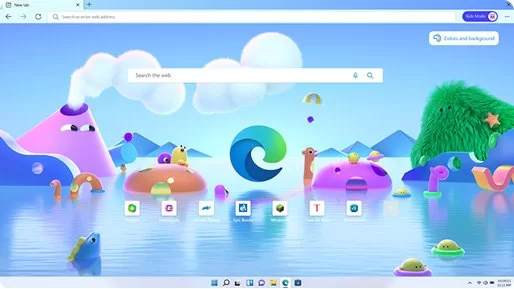
Microsoft Edge

The fast, fun, and secure browser.

Microsoft Store

Featuring new functionality and more apps.
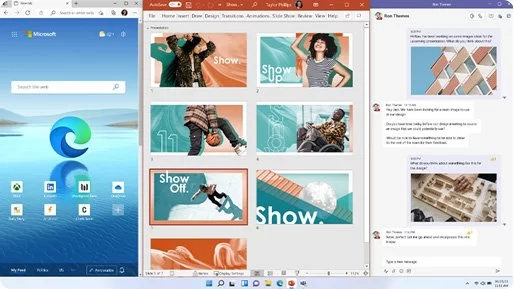
Snap Layouts

Arrange your open windows into perfect grids
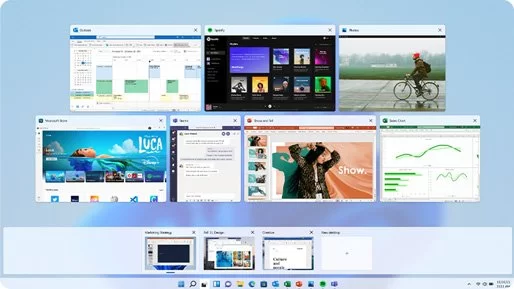
Desktops

Switch desktops for better organisation.
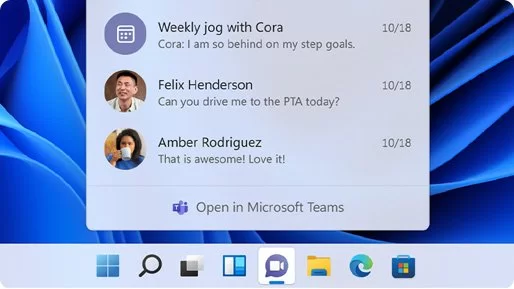
Microsoft Teams

Reach anyone right from your desktop.
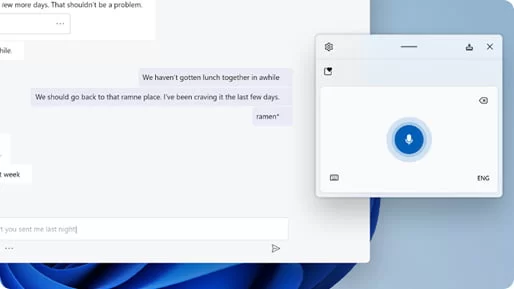
Touch, Pen, Voice experience

Express yourself in the way you do best.
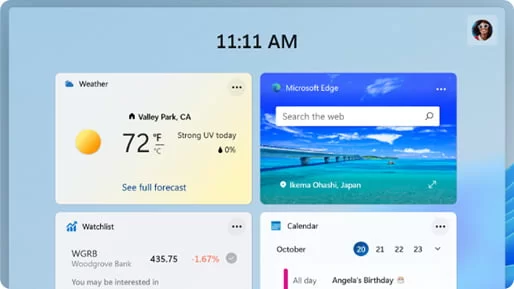
Widgets

Find the things that matter to you – fast.

Gaming

Experience epic and immersive graphics.

THE MOST ADVANCED PROTECTION

A halo of protection to defend against today’s cyberthreats. Built-in, routinely updated, and at no extra cost to you.
BitLocker device encryption

If your device is lost or stolen, BitLocker puts everything on lockdown, so no one else can access your systems or data.

Device encryption

If you turn on device encryption, only authorized individuals will be able to access your device and data.

Device encryption

Keep track of your devices – even your digital pen!

Firewall and network protection

Your Windows device comes with built-in security features to help safeguard against viruses, malware, and ransomware.

Internet protection

App & Browser control in Windows Security helps protect your device from potentially dangerous apps, files, websites, and downloads

Parental control & Protection

Manage screen time, limit access to mature content, and control online purchases when you connect your family’s Microsoft accounts

Secure boot

Helps prevent malicious software applications and unauthorized operating systems from loading during the system start-up process.

Windows informationProtection (WIP)

Helps protect enterprise apps and data against accidental data leaks on enterprise-owned devices and personal devices that employees bring to work.

Windows Hello

Uses facial recognition, fingerprint, or PIN, for a fast, secure, and password-free way to unlock your compatible Windows devices.

Windows Security

View and manage the security and health of your device.

WINDOWS 11 PRO - BUSINESS MANAGEMENT & DEPLOYMENT

Enterprise-grade encryption. Cloud management that enables work from anywhere. It’s just what businesses need, and success demands
Assigned Access

Windows 11 Pro devices run different applications depending on the user and keep individual identities separate and secured.

Kiosk mode setup

Configure a device locally on the device or remotely using Mobile Device Management

Enterprise State Roaming with Azure

Available to any organisation with an Azure AD Premium or Enterprise Mobility + Security (EMS) license, Enterprise State Roaming provides users with a unified experience across their Windows devices and reduces the time needed for configuring a new device

Dynamic Provisioning

Take a new PC out of the box, turn it on, and transform it into a productive organisation device, with minimal time and effort.

Microsoft Store for Business

Your one place to find, manage, and distribute apps to Windows 11 professional devices in volume.

Support for Active Directory

Domain Join + Group Policy: IT staff can easily manage PCs, user accounts and groups, security policies, and can get easy access to files and printers when pairing Windows 11 Pro with Windows Server

Group Policy

Manage PCs, user accounts, and groups, and get easy access to files and printers when you pair Windows 11 Pro with Windows Server.

Mobile Device Management

Mobile Device Management (MDM) provides an alternative to traditional PC management processes so you can transition to cloud-based management at your own pace.

Windows Update for Business

Helps reduce management costs, provides control over update deployments, enables efficient delivery of updates, and provides access to the latest innovations.

System Requirements

For Windows 11, all systems will need a TPM 2.0 chip. TPM is short for Trusted Point Module, and it’s primarily known as a means for security in PCs.

According to Microsoft, these are the system requirements for running Windows 11:

  • CPU: 1 gigahertz (GHz) or faster with 2 or more cores on a compatible 64-bit processor or System on a Chip (SoC)
  • RAM: 4GB
  • Storage: 64GB of larger
  • System firmware: UEFI, Secure Boot capable
  • TPM: Trusted Platform Module (TPM) version 2.0
  • Graphics card: Compatible with DirectX 12 or later with WDDM 2.0 driver
  • Display: High definition (720p) display that is greater than 9” diagonally, 8 bits per color channel
  • Internet: Windows 11 Home edition requires internet connectivity and a Microsoft account to complete device setup on first use.